> For the complete documentation index, see [llms.txt](https://docs.stoik.io/llms.txt). Markdown versions of documentation pages are available by appending `.md` to page URLs; this page is available as [Markdown](https://docs.stoik.io/broker/es/prevencion-cibernetica/inviting-an-insured-to-stoik-protect.md).
# Invitar a un asegurado a Stoïk Protect
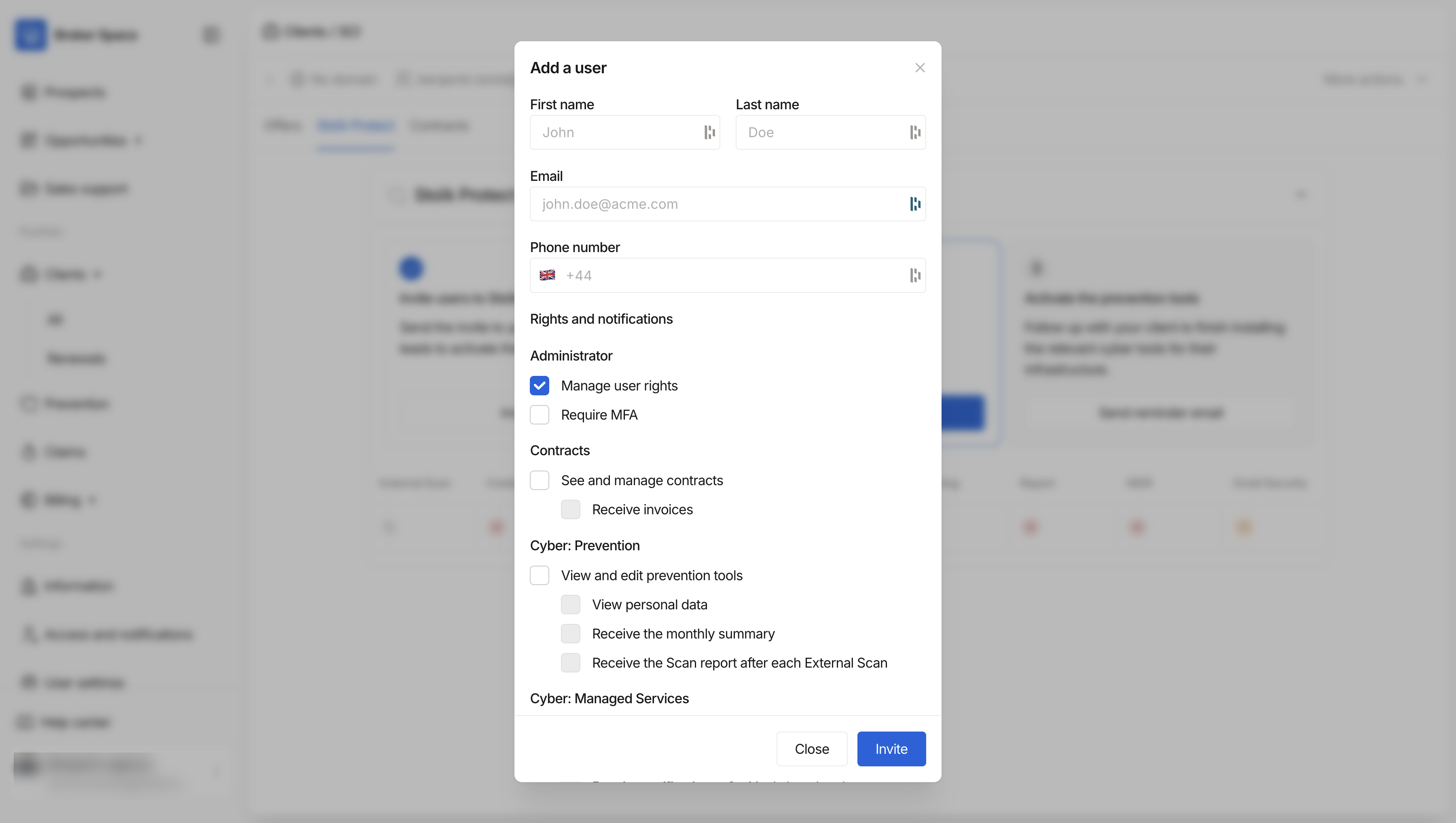
Si no invitó a su asegurado a su espacio de Stoïk Protect durante la suscripción, puede invitarlo en cualquier momento desde el Espacio del corredor.
### ¿Por qué es importante?
1. Para permitir la implementación de herramientas de ciberseguridad. Sin acceso a su espacio, su asegurado no podrá implementar las herramientas de prevención que se le ofrecen a través de Stoïk Protect.
1. Estas herramientas reducen considerablemente la exposición a ciberataques.
2. Por eso, los clientes que las activan se benefician automáticamente de una **reducción del 25 % en su franquicia** en caso de siniestro.
2. Para permitir una respuesta rápida en caso de una vulnerabilidad crítica. Sin un usuario identificado, nuestro equipo de ciberseguridad (Stoïk CERT) no podrá ponerse en contacto con el asegurado si se detecta un fallo crítico en su infraestructura.
1. Stoïk CERT realiza una supervisión continua de las principales vulnerabilidades que afectan a las tecnologías utilizadas por nuestros asegurados.
2. Para que esta supervisión sea eficaz, debe identificarse al contacto técnico de la empresa asegurada.
### ¿A quién debe invitar y cómo?
Recomendamos invitar a la persona responsable de TI:
* el director de sistemas de información (CIO) o el responsable de TI
* un proveedor externo de TI
Para ello, vaya a la `Clientes` página, seleccione un contrato y luego haga clic en la `Stoïk Protect` pestaña. Puede invitar a usuarios desde esta página.
¿Qué sucede después? Se invitará al usuario a crear una cuenta en Stoïk Protect.
---
# Agent Instructions
This documentation is published with GitBook. GitBook is the documentation platform designed so that both humans and AI agents can read, navigate, and reason over technical content effectively. Learn more at gitbook.com.
## Querying This Documentation
If you need additional information that is not directly available in this page, you can query the documentation dynamically by asking a question.
Perform an HTTP GET request on the current page URL with the `ask` query parameter, and the optional `goal` query parameter:
```
GET https://docs.stoik.io/broker/es/prevencion-cibernetica/inviting-an-insured-to-stoik-protect.md?ask=&goal=
```
`ask` is the immediate question: it should be specific, self-contained, and written in natural language.
`goal` is optional and describes the broader end goal you are ultimately trying to accomplish on behalf of the user. GitBook uses it to tailor the answer towards what is most useful for that goal.
The response will contain a direct answer to the question and relevant excerpts and sources from the documentation.
Use this mechanism when the answer is not explicitly present in the current page, you need clarification or additional context, or you want to retrieve related documentation sections.