> For the complete documentation index, see [llms.txt](https://docs.stoik.io/llms.txt). Markdown versions of documentation pages are available by appending `.md` to page URLs; this page is available as [Markdown](https://docs.stoik.io/cyber-best-practices/harden-your-environment/email-authentication/what-is-dmarc-and-how-do-i-configure-it.md).
# What is DMARC and how do I configure it?
## Definition
DMARC (Domain-based Message Authentication, Reporting, and Conformance) is an email security protocol that relies on SPF and DKIM to protect a domain against spoofing and phishing attacks.
It allows domain owners to:
* Define a policy on how unauthenticated emails should be handled (should they be accepted? quarantined? rejected?).
* Receive reports on attempts to fraudulently use their domain.
Specifically, DMARC checks if each received email passes these three different filters:
* SPF (the sender's IP address is authorized by the domain). See [What is SPF and how do I configure it?](/cyber-best-practices/harden-your-environment/email-authentication/what-is-spf-and-how-do-i-configure-it.md)
* DKIM (the cryptographic signature of the message is valid).
* Alignment (the domains used in SPF/DKIM match the one displayed in the sender's address).
If the email fails these checks, the receiving server applies the DMARC policy defined by the sending domain.
Here is an example of a DMARC policy definition: `_dmarc.yourdomain.com IN TXT "v=DMARC1; p=reject; rua=mailto:report@yourdomain.com"`.
* `v=DMARC1`: the DMARC version.
* `p=reject`: the applied policy. Here, "reject" means that emails that do not pass the three filters mentioned above will be rejected, i.e., not received in the mailbox.
* `rua=mailto:...`: the address to receive aggregated reports.
## Configuration
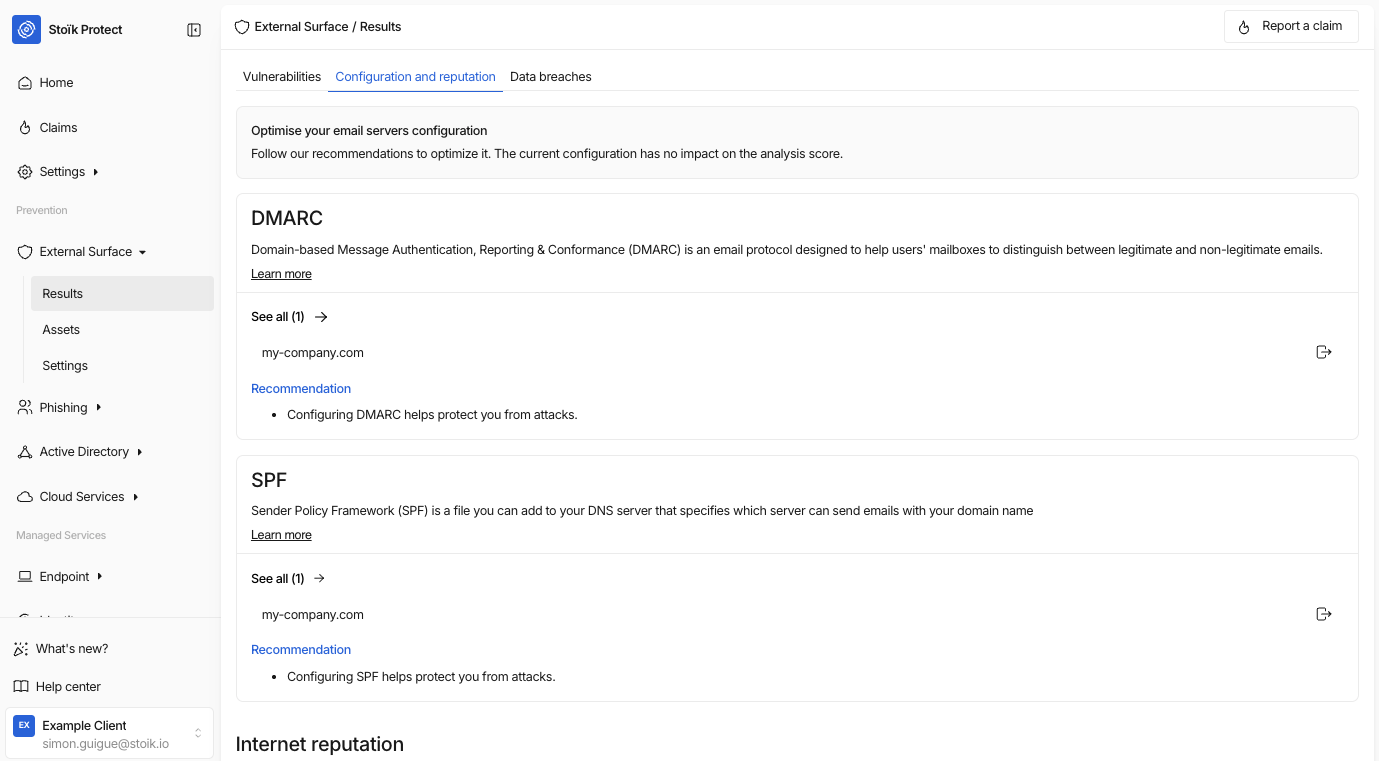
Go to `External Scan` > `Results` > `Configuration and reputation` to find your DMARC data.
Then click on `View all` at the bottom of the page: you will find misconfigured domains, as well as installation guides depending on whether you are using Google or Microsoft.
{% hint style="info" %}
Stoïk considers a DMARC record to be correctly configured when the chosen policy is "p=reject" or "p=quarantine".
{% endhint %}
Additionally, the External Scan uses a cache that takes approximately 6 to 7 days to update; therefore, you may have to wait up to a week for the results to refresh. If everything appears to be in order but the problem persists, please contact us at .
---
# Agent Instructions
This documentation is published with GitBook. GitBook is the documentation platform designed so that both humans and AI agents can read, navigate, and reason over technical content effectively. Learn more at gitbook.com.
## Querying This Documentation
If you need additional information that is not directly available in this page, you can query the documentation by asking a question.
Perform an HTTP GET request on the following URL with the `ask` and `goal` query parameters:
```
GET https://docs.stoik.io/cyber-best-practices/harden-your-environment/email-authentication/what-is-dmarc-and-how-do-i-configure-it.md?ask=&goal=
```
`ask` is the immediate question: it should be specific, self-contained, and written in natural language.
`goal` is what the user is ultimately trying to achieve, the reason they need the answer. Sharing it helps GitBook give you a better, more relevant answer. A goal is most helpful when it describes the outcome the user wants rather than restating the question. For example, with `ask=how do I create an API token`, a goal like `automate deployments from our CI pipeline` lets GitBook tailor the answer to that use case.
The response will contain a direct answer to the question and relevant excerpts and sources from the documentation.
Use this mechanism when the answer is not explicitly present in the current page, you need clarification or additional context, or you want to retrieve related documentation sections.