

"Bad Tenant" error
The BAD TENANT error appears when the Azure setup of the Cloud scan runs on a different tenant than the one you authorized.
Cause
When running the automatic script for the Azure Cloud scan, the following error may appear:
BAD TENANT - Stoïk Cloud Scanner application not found, please see this link for more information
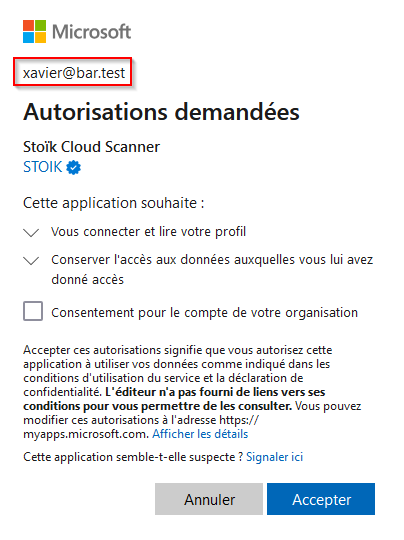
This error occurs when the Stoïk application has not been registered correctly on your Azure environment. The main reason is that a different environment was selected during the first stage of setup and when the script was run.
Example
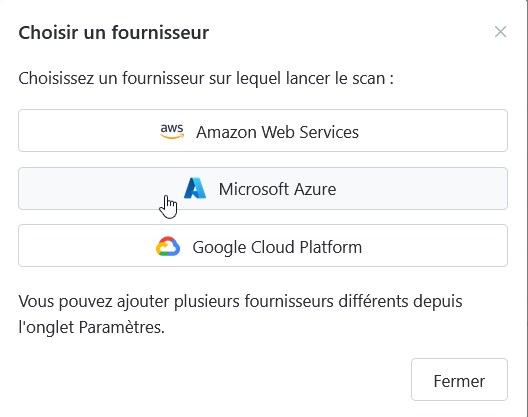
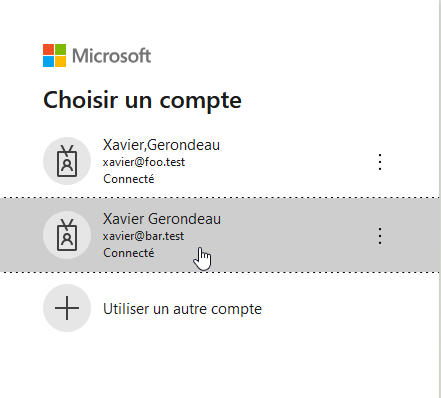
The example below illustrates a problematic setup:

Solution
Run the script on the same Azure tenant that was used when authorizing the Stoïk application (the tenant selected in step 2 above).
If you are unsure which tenant was used:
Disconnect from all your accounts on https://portal.azure.com.
Then restart the installation of the tool on Stoïk Protect.
Last updated